
Download TyperTask – Custom Keyboard Shortcuts, Productivity Tool, Utility App
Overview
TyperTask is a lightweight, user-friendly utility designed to enhance workflow efficiency through customizable keyboard shortcuts. The application enables users to automate repetitive tasks by assigning shortcuts to specific actions, such as inserting frequently used text snippets, executing HTML commands, or launching applications. Its primary purpose is to reduce manual input and streamline daily digital interactions, making it a valuable tool for individuals seeking to boost productivity without relying on complex automation systems.
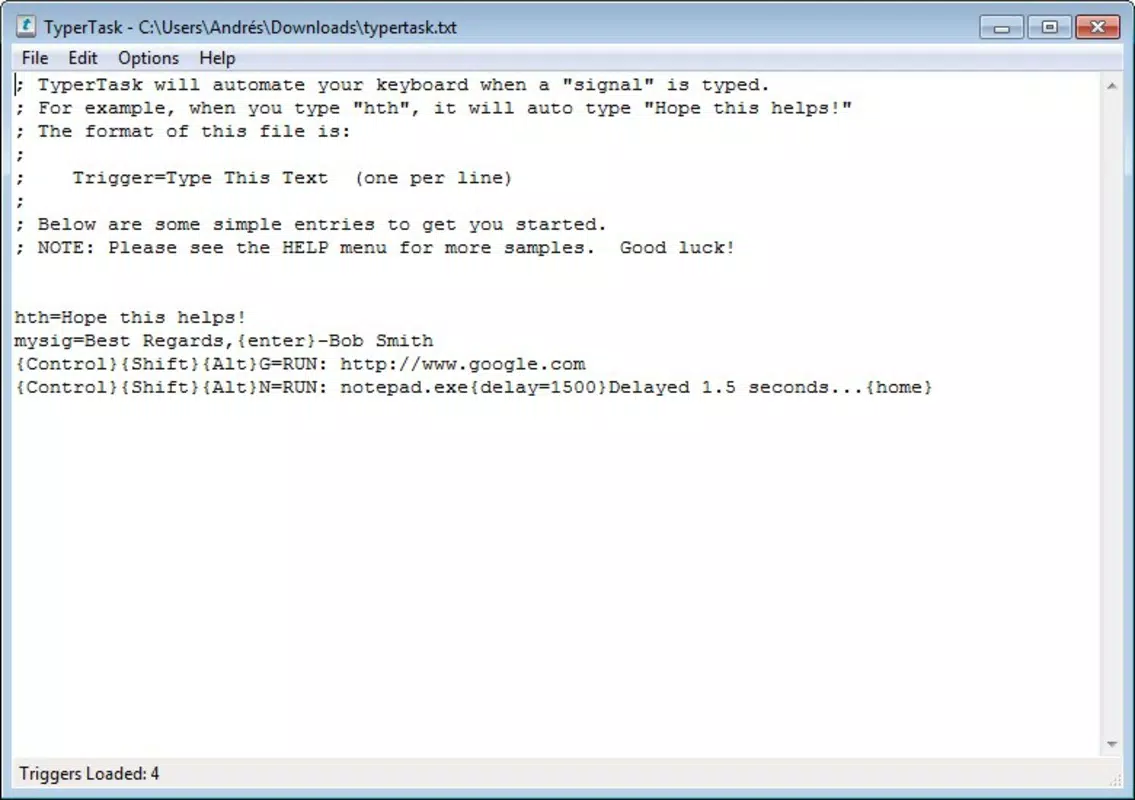
Target users include professionals, students, writers, and developers who regularly engage in repetitive typing or command execution. The app is especially useful for those managing multiple projects or workflows where speed and consistency are critical. Despite its initially notepad-like interface, TyperTask is structured to support intuitive navigation, supported by a comprehensive help menu that guides users through setup and customization.
Developed in 2012, TyperTask has maintained a niche presence in the productivity tool ecosystem, offering a focused solution for keyboard automation. While the developer did not provide additional technical or organizational details, the app’s longevity suggests a stable and functional design. Real-world use cases include inserting boilerplate code, drafting standard email responses, or automating form submissions—tasks that benefit significantly from rapid execution.
Within the mobile and desktop utility landscape, TyperTask fills a gap for lightweight, no-frills automation. It stands out by prioritizing simplicity and flexibility over heavy feature sets, making it a reliable choice for users who value efficiency without complexity.
Key Features & Functionality
- Custom Keyboard Shortcuts: Users can define personalized shortcuts to trigger predefined actions. This includes inserting text, executing commands, or launching applications, allowing for rapid access to frequently used content.
- Text Snippet Automation: The app supports the creation and insertion of reusable text blocks, ideal for saving time on repetitive messages, email templates, or coding snippets.
- HTML Command Execution: TyperTask enables users to insert or execute HTML tags with a single shortcut, benefiting web developers and content creators who work with markup languages.
- Application Launch Integration: Shortcuts can be assigned to open specific programs or files, reducing the need to navigate through menus or desktop icons.
- Comprehensive Help Menu: A built-in guide provides step-by-step instructions, ensuring that even users unfamiliar with automation tools can quickly learn and apply the app’s features.
For example, a writer might assign the shortcut Ctrl+Shift+T to insert a standard disclaimer, while a developer could use Ctrl+Alt+H to insert a full HTML header structure. These real-world applications demonstrate how TyperTask adapts to diverse workflows, minimizing keystrokes and maximizing output. The ability to tailor actions to individual needs enhances its practicality across different professional and personal scenarios.
Interface, UX & Performance
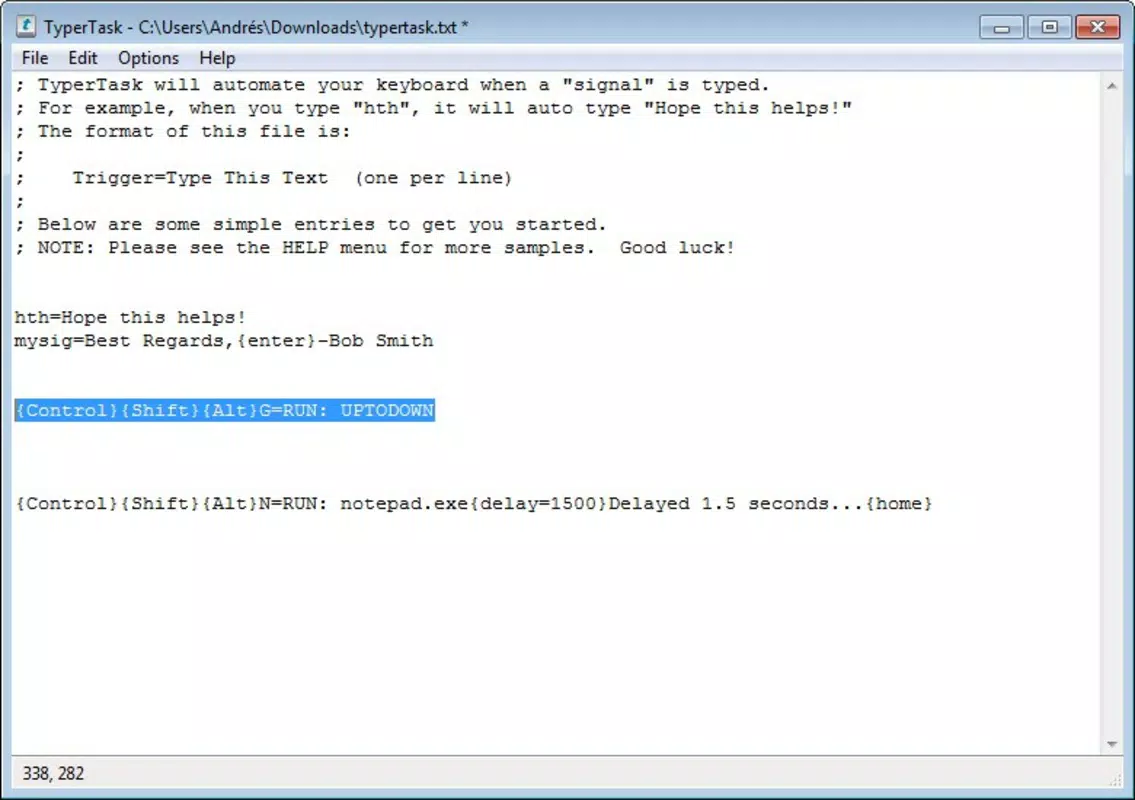
TyperTask features a minimalist interface that resembles a basic text editor, which may initially appear daunting to new users. However, this design prioritizes functionality over visual flair, focusing on quick access to shortcut management and configuration. Navigation is straightforward, with a central workspace for defining and organizing shortcuts, supported by clearly labeled sections.
Despite the lack of visual polish, the app maintains a high level of usability. The layout supports logical workflow progression: define a shortcut, assign an action, save, and test. The learning curve is minimal, especially with the help menu guiding users through each step. Responsiveness is consistent across device categories, though the developer did not list formal performance metrics.
Although the developer did not list formal performance metrics, the application’s lightweight nature suggests efficient memory usage and low system impact. Stability appears reliable based on its long-standing presence since 2012. Users can expect consistent performance during routine tasks, with minimal lag or crashes. The interface remains responsive even when managing a large number of shortcuts.
Platform Compatibility & Technical Requirements
TyperTask is available for desktop platforms, though specific operating system details were not provided. The application’s file size is not listed, nor were minimum OS requirements disclosed. Compatibility information was not fully disclosed, so users should verify system compatibility before installation.
The developer did not specify the exact software version or platform requirements. As such, users are advised to consult official sources for up-to-date compatibility details. The lack of detailed technical specifications does not diminish the app’s core functionality, but it may affect installation success on newer or less common systems.
Pros and Cons
Pros
- Lightweight and efficient, with minimal system resource usage.
- Supports customizable keyboard shortcuts for a wide range of actions.
- Includes a detailed help menu to assist new users.
- Offers versatility in use cases, from text insertion to application launching.
- Stable and functional, with a long history of availability since 2012.
Cons
- Interface may appear complex or outdated to first-time users.
- Developer did not provide detailed technical specifications or system requirements.
- Limited visual feedback during shortcut activation.
- No official update history or version release notes were shared.
- Compatibility with modern operating systems is not confirmed.
FAQ
Is TyperTask safe to download and install?
TyperTask is a utility tool designed for keyboard automation. As with any third-party application, users should ensure they download it from a trusted source to maintain system security.
Can I use TyperTask on mobile devices?
The developer did not specify mobile compatibility. The app is primarily designed for desktop environments.
Does TyperTask require internet access?
Based on available information, TyperTask operates offline. No internet connection is required for core functionality.
How do I update TyperTask?
Specific update procedures were not provided. Users should check the official source for the latest version and installation instructions.
Can I customize the keyboard shortcuts?
Yes, users can create and assign custom keyboard shortcuts to perform specific actions such as inserting text, launching apps, or executing commands.
Final Thoughts + CTA
TyperTask remains a dependable utility for users seeking to automate repetitive typing tasks through customizable keyboard shortcuts. Its minimalist interface, while initially unfamiliar, becomes intuitive with use, especially with the help of the built-in guide. The app’s ability to support text snippets, HTML commands, and application launches makes it a versatile tool across multiple workflows.
Despite the absence of detailed technical information, its long-standing presence in the productivity space speaks to its reliability. Users who value efficiency, simplicity, and control over their digital tasks will find significant value in integrating TyperTask into their daily routines.
For professionals, developers, and frequent typists, this app offers a practical solution to reduce keystrokes and increase output. Download TyperTask now and take the next step toward a faster, smarter workflow.


